12 Proven Strategies to Engage Virtual Audiences


Virtual presentations have become a cornerstone of communication, but keeping your audience engaged can be challenging. Studies reveal that audience engagement significantly impacts the success of online events. For example, questions asked during webcasts have increased by 278%, and on-demand content view rates have more than doubled. These trends show how vital it is to connect with your audience effectively.
When you understand how to keep audience engaged in online presentation settings, you create a more interactive and memorable experience. Applying proven strategies ensures your message resonates and leaves a lasting impression.
Preparation for Effective Virtual Presentations
Know Your Audience
Research their interests and expectations.
Understanding your audience is the first step to delivering effective virtual presentations. Research their preferences and expectations to tailor your content. Look into their professional backgrounds, industries, or challenges they face. Use interactive methods like polls or quizzes to gather real-time insights. These strategies help you align your presentation with their needs and keep them engaged.
Customize your content to resonate with their needs.
Once you understand your audience, customize your content to address their specific interests. Use examples or case studies that relate to their experiences. Simplify complex ideas to make them accessible. Personalizing your content ensures your message resonates and leaves a lasting impression.
Test and Optimize Your Technology
Ensure a stable internet connection and test equipment.
Technical issues can disrupt your presentation and frustrate your audience. Check your internet connection, audio, and video quality before starting. Conduct a full run-through of your setup to identify potential problems. Keep backup solutions, like spare devices or alternative slides, ready to handle unexpected issues.
Familiarize yourself with the virtual event platform.
Mastering the platform you’ll use is essential for smooth delivery. Test its features, such as screen sharing, breakout rooms, or chat functions, in advance. Use tools like Canva or Google Slides to create visually appealing content. Practicing with the platform boosts your confidence and ensures a seamless experience for your audience.
Set Clear Goals and Objectives
Define the key takeaways for your audience.
Clarify what you want your audience to learn or achieve by the end of your presentation. Focus on a few key takeaways to avoid overwhelming them. Clear objectives guide your content creation and keep your presentation on track.
Create a structured and logical presentation outline.
Organize your content into a logical flow that’s easy to follow. Start with an engaging introduction, present your main points clearly, and end with a strong conclusion. A well-structured outline helps you stay focused and ensures your audience can follow along effortlessly.
Delivering Engaging Virtual Presentations

Start with a Strong Opening
Use a compelling story, statistic, or question to grab attention.
The first few moments of your presentation set the stage for audience engagement. A strong opening grabs attention and sparks curiosity. You can use various techniques to achieve this:
| Technique | Description |
|---|---|
| Encourage Audience Participation | Use interactive questions like "show of hands" to engage the audience and maintain their attention. |
| Use Storytelling Techniques | Start with a compelling story to hook the audience and maintain emotional engagement throughout. |
| Use Gamification and Live Polling | Incorporate games and real-time polls to create excitement and interaction during the presentation. |
For example, you might begin with a surprising statistic or a thought-provoking question. These approaches immediately draw your audience into the topic and make them eager to learn more.
Set the tone and establish credibility.
Your opening also sets the tone for the rest of your presentation. Speak with confidence and clarity to establish credibility. Share your expertise or experience to build trust. When your audience sees you as knowledgeable and relatable, they are more likely to stay engaged.
Incorporate Storytelling
Share relatable anecdotes or case studies.
Storytelling techniques transform your presentation into a memorable experience. Sharing relatable anecdotes or case studies helps your audience connect with your message. Stories simplify complex ideas by providing context and relatability. For instance, a case study about overcoming a challenge in your field can inspire and educate your audience simultaneously.
Build an emotional connection with your audience.
Stories also create an emotional bond. Research shows that stories are remembered better than facts alone because they activate emotional centers in the brain. Techniques like "The Hero's Journey" or "The Rule of Three" enhance engagement by making your narrative more compelling. When you use storytelling techniques effectively, your audience feels invested in your message.
Use Vocal Variety and Tone
Emphasize key points with changes in pitch and pace.
Your voice is a powerful tool for keeping your audience engaged. Vary your pitch, tone, and speed to emphasize key points. For example, slowing down when presenting critical information ensures your audience absorbs it. A sudden change in pitch can highlight an important idea, making it stand out.
Avoid monotony to maintain interest.
Monotony can cause your audience to lose focus. Keep your delivery dynamic by injecting enthusiasm into your voice. This approach not only maintains interest but also conveys your passion for the topic. A lively tone keeps your audience attentive and makes your presentation more enjoyable.
Keep Content Concise and Focused
Avoid overloading your audience with information.
Virtual presentations can overwhelm your audience if you try to pack in too much information. Instead, focus on delivering only the most essential points. Start by outlining a clear agenda at the beginning of your presentation. This helps your audience understand what to expect and keeps them on track.
To keep your virtual presentation concise, make short but impactful statements. Aim to speak for no more than 10 minutes at a time before engaging your audience with a story, quiz, or question. This approach helps maintain attention and ensures your points are easily digestible.
Simplify your data points to avoid confusion. For example, instead of presenting a dense chart with multiple variables, highlight one or two key takeaways. This makes your message easier to understand and remember.
Use clear and concise language to convey your message.
Your choice of words plays a significant role in keeping your audience engaged. Use simple, direct language to explain your ideas. Avoid jargon or overly technical terms unless your audience is familiar with them. When you simplify your language, you make your presentation accessible to a wider range of viewers.
Here are some principles to help you stay focused:
- Maintain eye contact with the camera to create a personal connection.
- Avoid looking at slides or notes excessively to engage your audience effectively.
Short sentences and active voice make your delivery more dynamic. For example, instead of saying, "The data was analyzed to determine trends," say, "We analyzed the data to find trends." This approach keeps your audience focused on your message.
Finally, break up your content into smaller sections. Use visuals, bullet points, or headings to organize your ideas. This structure helps your audience follow along and prevents information overload.
Audience Engagement Strategies During the Presentation
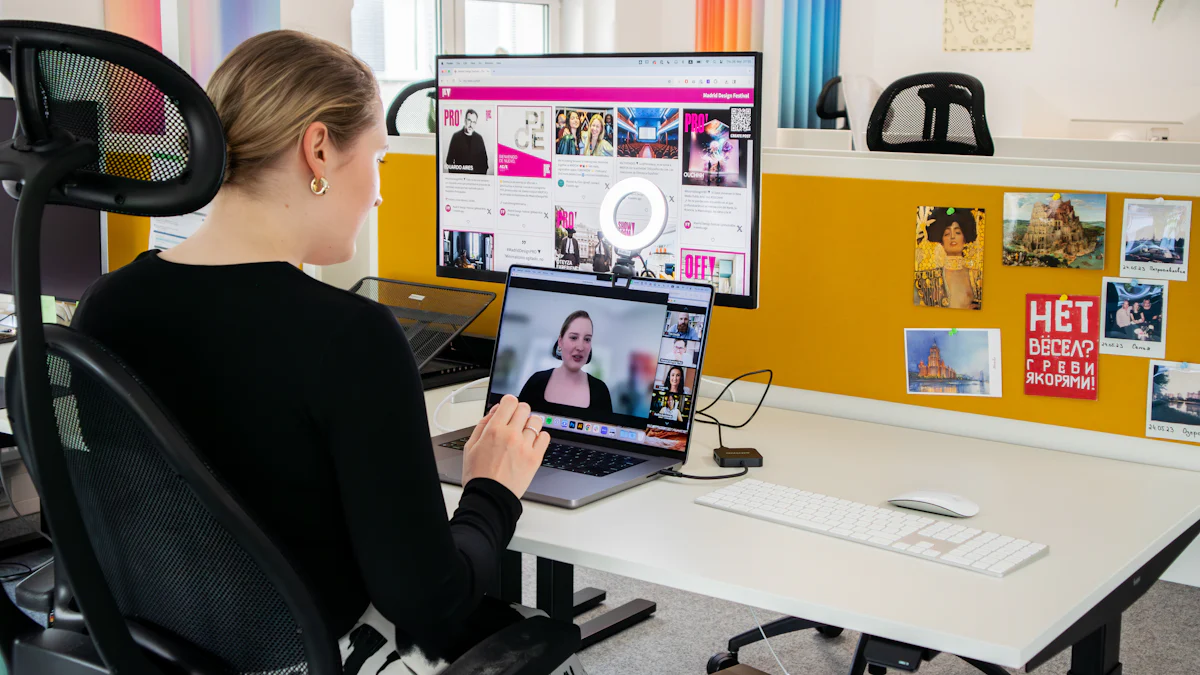
Encourage Active Participation
Use polls, quizzes, or live Q&A sessions.
Interactive tools like polls, quizzes, and live Q&A sessions are excellent ways to engage your audience. These methods allow you to tailor your content to their interests while fostering a conversational atmosphere. For example:
- Live Q&A sessions provide immediate answers to questions, creating a personalized experience.
- Polling tools like Slido or MeetingPulse enable real-time interaction, helping you gather valuable feedback.
- Platforms like Kahoot! make quizzes fun and competitive, boosting audience retention.
These strategies not only enhance interaction but also build trust and credibility. By addressing audience needs directly, you create a more engaging presentation that resonates with them.
Ask open-ended questions to spark interaction.
Open-ended questions encourage deeper engagement. Instead of asking yes-or-no questions, try prompts like, "What challenges do you face in this area?" This approach invites thoughtful responses and keeps the conversation dynamic. Use these questions strategically to maintain audience engagement throughout your session.
Leverage Chat and Interactive Features
Monitor and respond to audience comments in real-time.
The chat feature is a powerful tool for audience interaction and management. Actively monitor comments and respond promptly to show you value their input. Allocate specific time slots for Q&A sessions to address their questions thoroughly. This practice fosters a sense of connection and keeps your audience engaged.
Use the chat to gather feedback or insights.
Interactive polls or surveys within the chat can help you gather insights about your audience. For example, you can ask them to vote on topics they want to explore further. Engagement prompts like, "Share your thoughts in the chat," encourage participation and make your session more interactive. These techniques also provide valuable data for improving future presentations.
Gamify Your Presentation
Incorporate games or challenges to make the session fun.
Gamification transforms a standard presentation into an interactive experience. Trivia games, bingo, or scavenger hunts can energize your audience. For instance, trivia questions related to your topic can test their knowledge while keeping them engaged. Platforms like Kahoot! make it easy to integrate these elements into your session.
Reward participation to motivate engagement.
Incentives like virtual badges or shoutouts can motivate your audience to interact with them more actively. For example, you could reward participants who answer questions correctly or contribute valuable insights. This strategy not only boosts interaction but also enhances audience retention by creating a positive and memorable experience.
Include Exercises and Activities
Provide hands-on activities to apply learning.
Interactive exercises help your audience apply what they’ve learned during your presentation. These activities transform passive listeners into active participants. For example, you can include tasks like filling out templates, solving real-world problems, or completing short challenges related to your topic.
Tip: Use tools like Google Docs or Miro to create collaborative spaces where participants can work on exercises in real time.
Hands-on activities also reinforce key concepts. When your audience actively engages with the material, they retain information more effectively. For instance, if you’re presenting on project management, ask participants to create a simple project timeline using a provided framework. This approach ensures they leave your session with practical skills they can immediately apply.
Use breakout rooms for group discussions or brainstorming.
Breakout rooms are a powerful way to foster collaboration and engagement during virtual presentations. These smaller groups encourage participants to interact more freely and share ideas. According to a survey by Zoom, webinars that used breakout rooms achieved a 53% higher engagement rate compared to traditional formats.
Here’s why breakout rooms work so well:
- They promote focused discussions by narrowing the scope to specific topics or tasks.
- They enhance collaboration by allowing participants to work together on group projects.
- They encourage candid conversations, which might not happen in larger settings.
Note: Assign clear objectives for each breakout session to keep participants on track. For example, ask them to brainstorm solutions to a problem or discuss key takeaways from your presentation.
Breakout rooms also help large audiences feel more connected. Smaller groups create opportunities for networking and bonding among peers. Participants often feel more comfortable sharing their thoughts in these settings, leading to richer discussions. By incorporating breakout rooms, you create an interactive and inclusive environment that keeps your audience engaged.
Post-Presentation Engagement
Follow Up with Your Audience
Share a recording or summary of the session.
Your engagement with the audience doesn’t end when the presentation concludes. Following up ensures your message stays fresh in their minds. Share a recording of the session or a concise summary highlighting the key points. This allows attendees to revisit the material at their own pace.
You can also include slides, infographics, or other resources to add value. For example:
- Send a thank-you email with links to the recording and additional materials.
- Provide a downloadable PDF summarizing the session’s main takeaways.
- Offer exclusive content, such as bonus tips or a free consultation, to keep them interested.
These practices not only reinforce your message but also build stronger connections with your audience.
Provide additional resources or a feedback form.
Feedback is essential for growth. Include a feedback form in your follow-up email to gather insights about your presentation. Ask questions about content quality, engagement levels, and session timing. This helps you understand what worked and what needs improvement.
Additionally, share resources that align with your audience’s interests. For instance, you could provide links to related articles, tools, or upcoming events. Offering value beyond the presentation keeps your audience engaged and positions you as a trusted resource.
Measure Audience Engagement
Use participation metrics and feedback surveys.
Tracking audience engagement helps you evaluate the success of your presentation. Use metrics like live participation, retention rates, and download statistics to measure interest. For example:
| Metric | Description |
|---|---|
| Live participation | Track real-time audience responses, discussions, and participation levels during activities. |
| Audience retention | Measure how long attendees stay engaged during the event, indicating their interest in the content. |
| Download rates | Monitor the number of downloads of pre-event materials to gauge pre-event enthusiasm. |
| Ratings and reviews | Collect post-event feedback through surveys to assess attendee satisfaction and engagement levels. |
Platforms like Slido or MeetingPulse can help you gather and analyze this data effectively. Use these insights to refine your future presentations.
Analyze responses to improve future presentations.
Your audience’s feedback is your most valuable tool for improvement. Conduct surveys to evaluate the relevance of your content, the level of interaction, and the overall value of the session.
Systematically gathering, analyzing, and acting on attendee feedback is critical. Your audience is your most valuable critic; use their input to optimize every facet of your virtual events and drive continuous improvement across all other success metrics.
By analyzing responses, you can identify trends and areas for enhancement. For example, if attendees suggest shorter sessions, adjust your timing in the future. Continuous improvement ensures your presentations remain engaging and impactful.
Engaging virtual audiences requires a thoughtful approach. The 12 strategies outlined—like knowing your audience, using storytelling, and leveraging interactive tools—help you create impactful presentations. Successful events, such as the Adobe Summit and NBA Restart, demonstrate how these methods enhance connection and participation.
Apply these tips to your next virtual event to build trust and leave a lasting impression. Preparation, delivery, and follow-up are essential for enhancing the presentation experience. By mastering these elements, you ensure your audience stays engaged and your message resonates long after the session ends.
FAQ
What are the key elements of a successful virtual event?
A successful virtual event requires thorough preparation, engaging delivery, and effective follow-up. Focus on understanding your audience, using interactive tools, and providing valuable content. Clear objectives and seamless technology also play a crucial role in ensuring your event leaves a lasting impact.
How can I keep my audience engaged during a virtual event?
Use interactive features like polls, quizzes, and breakout rooms. Incorporate storytelling and vocal variety to maintain interest. Keep your content concise and focused. Encourage participation by asking open-ended questions and responding to comments in real time.
What tools can enhance virtual event engagement?
Platforms like Zoom, Slido, and Kahoot! offer features like live polls, Q&A sessions, and gamification. Tools like Miro or Google Docs enable collaborative activities. Familiarize yourself with these tools to create an interactive and engaging experience for your audience.
How do I measure the success of my virtual event?
Track metrics like audience retention, participation rates, and feedback survey results. Analyze responses to identify areas for improvement. Use tools like MeetingPulse to gather data and refine your approach for future events.
Why is follow-up important after a virtual event?
Follow-up reinforces your message and builds stronger connections. Share session recordings, summaries, or additional resources. Collect feedback to improve future presentations. This step ensures your audience remembers the event and sees value in your content.
See Also
10 Strategies to Enhance Engagement Using Zoom Features
10 Essential Tips for Engaging Audiences at 2025 Events
10 Proven Methods to Increase Vlog Engagement in 2025

